 ReciQuick
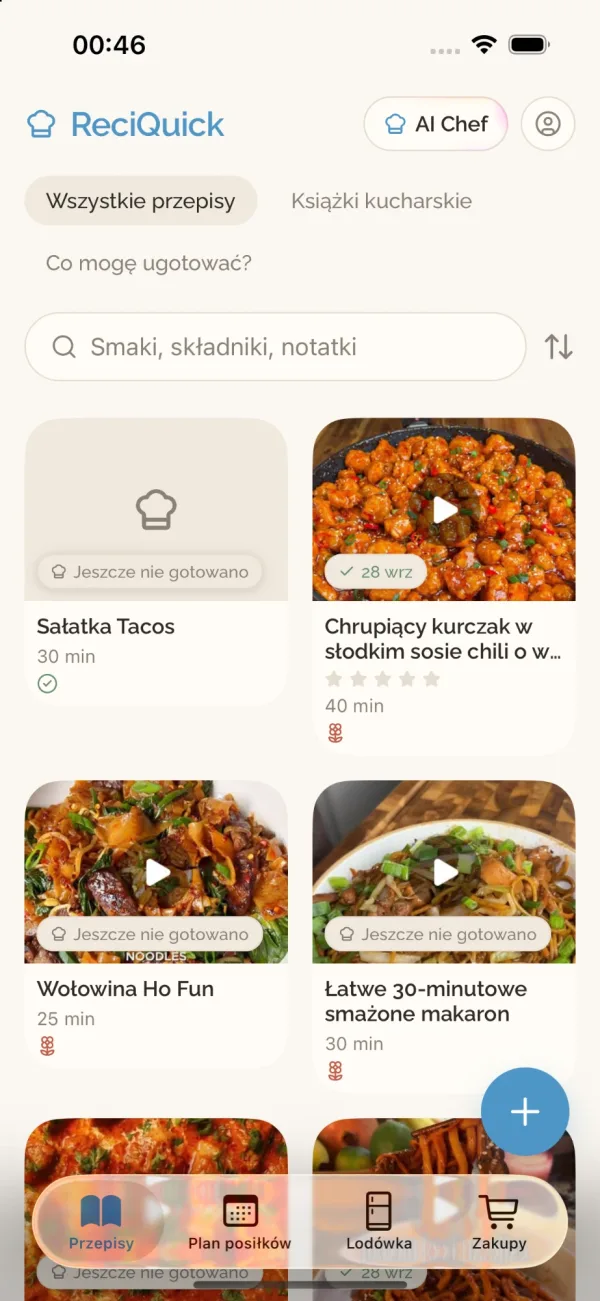

ReciQuick Plus
Ask AI Chef what to cook
Tell it what is in the fridge, snap a photo, or ask any cooking question. AI Chef suggests a recipe that makes sense, helps with swaps, and saves the result to your recipes.

Share a TikTok, an Instagram reel, a YouTube video, or any recipe site to ReciQuick. It pulls out the ingredients and steps, even when they are only spoken in the video, then helps you plan the week and shop for it.
Save recipes from
TikTok Instagram YouTube Facebook Any website Photos and cookbooksHow it works
No more screenshots, paused videos, or recipes lost in your saved posts.
Tap Share in TikTok, Instagram, YouTube, Facebook, or Safari and pick ReciQuick. You stay right where you were.
It reads the caption and the page, and listens to the video when the ingredients are only spoken. You see a preview before anything is saved.
Keep it in a cookbook, put it on your meal plan, or send the ingredients straight to your grocery list.
Features
ReciQuick keeps your recipes, your week, and your shopping in one calm place.
Tell it what is in the fridge, snap a photo, or ask any cooking question. AI Chef suggests a recipe that makes sense, helps with swaps, and saves the result to your recipes.
Drop recipes onto days and get one grocery list. Ingredients become things you can buy: egg whites become eggs.
Add food from a receipt or a photo of your shelves. “What can I make?” looks only at what you have, and receipt items tick off your grocery list.

Big, easy-to-read steps with timers. Follow along on Apple Watch and move to the next step from your wrist.
Share a cookbook with a link or QR code. Everyone adds recipes to the same place, photos included.
Recipes show a warning when an ingredient may clash, with swaps such as coconut aminos for soy sauce.
A helping hand, not a medical check. Always read the label.
Calories, protein, carbs, and fat, estimated from the ingredient list.
FAQ
TikTok, Instagram, YouTube, Facebook, and any recipe website. You can also scan a cookbook page, a screenshot, or a handwritten card, even when a recipe runs over several pages, or type one from scratch.
No. ReciQuick is made for iPhone, with an Apple Watch companion for cook mode.
ReciQuick Plus unlocks AI Chef, unlimited imports, and more. The app shows the current price before you subscribe, and you can cancel any time in your Apple ID settings.
Treat them as a reminder only. ReciQuick flags ingredients that may conflict with your choices, but it cannot check brands, labels, or cross-contamination. It is not a medical check.
Yes. The app follows the language you set for ReciQuick on your iPhone, English or Polish. AI Chef replies in that language, and imported recipes can be shown in Polish.
Your recipes, plans, and lists are stored with your account, and you can delete your account from Settings at any time. Read the privacy policy for the details.
Save it once, and it is there when you are hungry.
Download on the App Store